> ## Documentation Index
> Fetch the complete documentation index at: https://docs.sequence.xyz/llms.txt
> Use this file to discover all available pages before exploring further.
# Unreal v1 Game Bootstrap
> Documentation for Unreal SDK API for reading from the blockchain with the Sequence infrastructure stack for web3 gaming.
Sequence's Unreal SDK includes a range of features to help you bootstrap your game.
You can create them as shown below or duplicate the `.uasset` files from the `Plugins/SequencePlugin Content/Samples/`
folder and customize them to fit your needs.
## Inventory
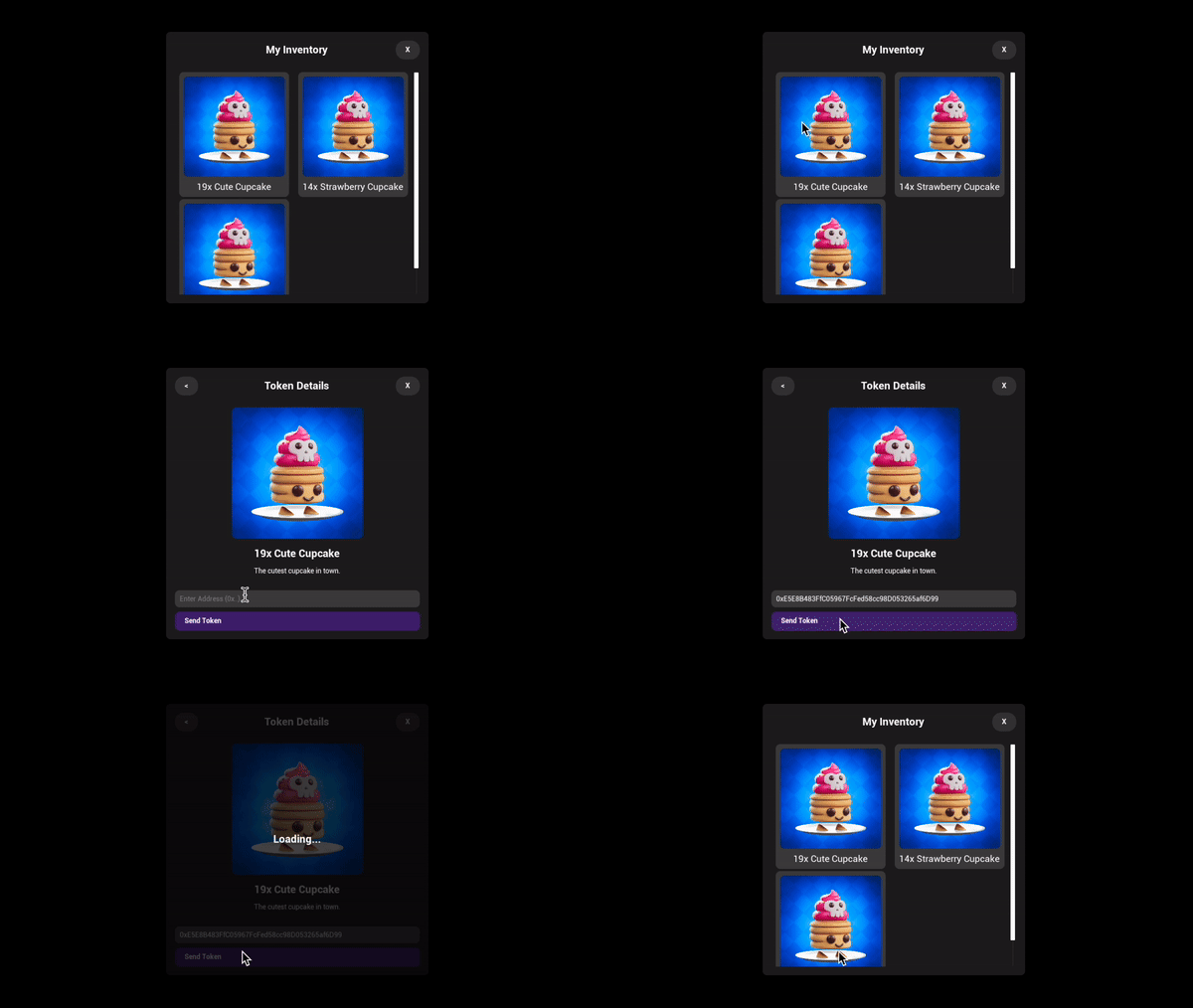
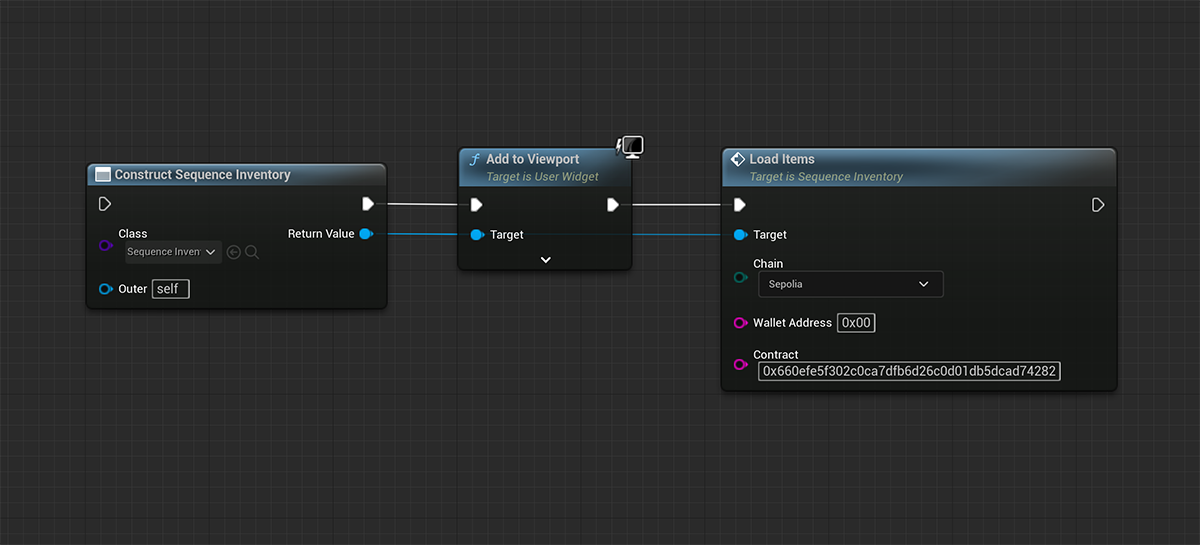
Create the `Sequence Inventory` widget to show all items owned by a user from any ERC1155 or ERC721 contract.
 **Chain (ENetwork Enum)**
The chain type (Ethereum, Sepolia, ..) on which the specified contract is deployed.
**Wallet Address (FString)**
The wallet address of the user for whom you want to list the inventory items.
**Contract (FString)**
The address of an ERC1155 or ERC721 contract where the specified wallet address owns items.
## Primary Sale
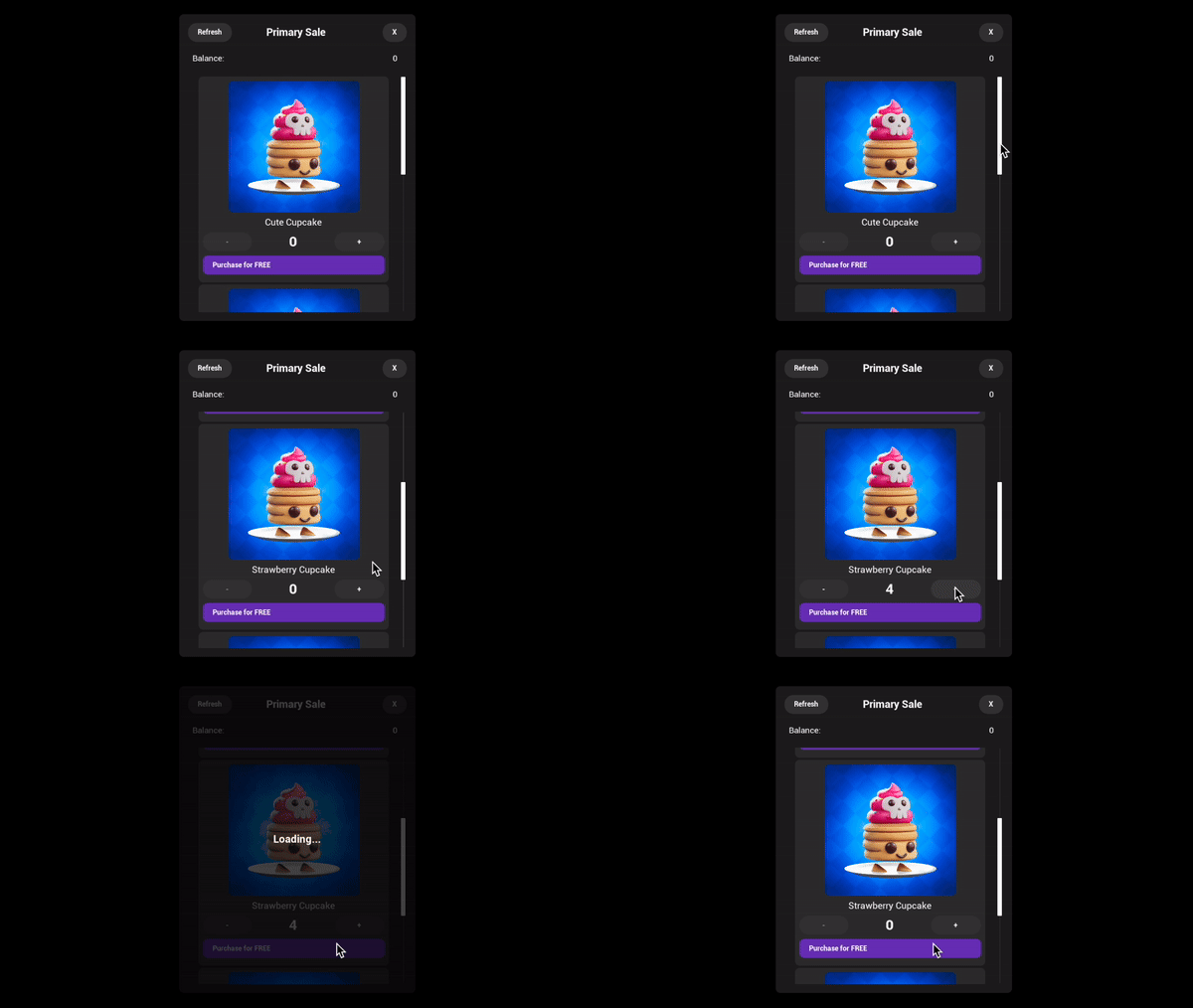
Accelerate your game growth by selling items directly to your players. Create the `Sequence Primary Sale` widget to show an In-Game Shop that utilizes game items
from a ERC1155 contract, which users purchase using any custom or existing ERC20 currency.
[Primary Sales Contract](/solutions/builder/contracts/deploy-primary-sales-contract/): Learn how to set up and deploy contracts for launching a primary sale.
**Chain (ENetwork Enum)**
The chain type (Ethereum, Sepolia, ..) on which the specified contract is deployed.
**Wallet Address (FString)**
The wallet address of the user for whom you want to list the inventory items.
**Contract (FString)**
The address of an ERC1155 or ERC721 contract where the specified wallet address owns items.
## Primary Sale
Accelerate your game growth by selling items directly to your players. Create the `Sequence Primary Sale` widget to show an In-Game Shop that utilizes game items
from a ERC1155 contract, which users purchase using any custom or existing ERC20 currency.
[Primary Sales Contract](/solutions/builder/contracts/deploy-primary-sales-contract/): Learn how to set up and deploy contracts for launching a primary sale.
 **Chain (ENetwork Enum)**
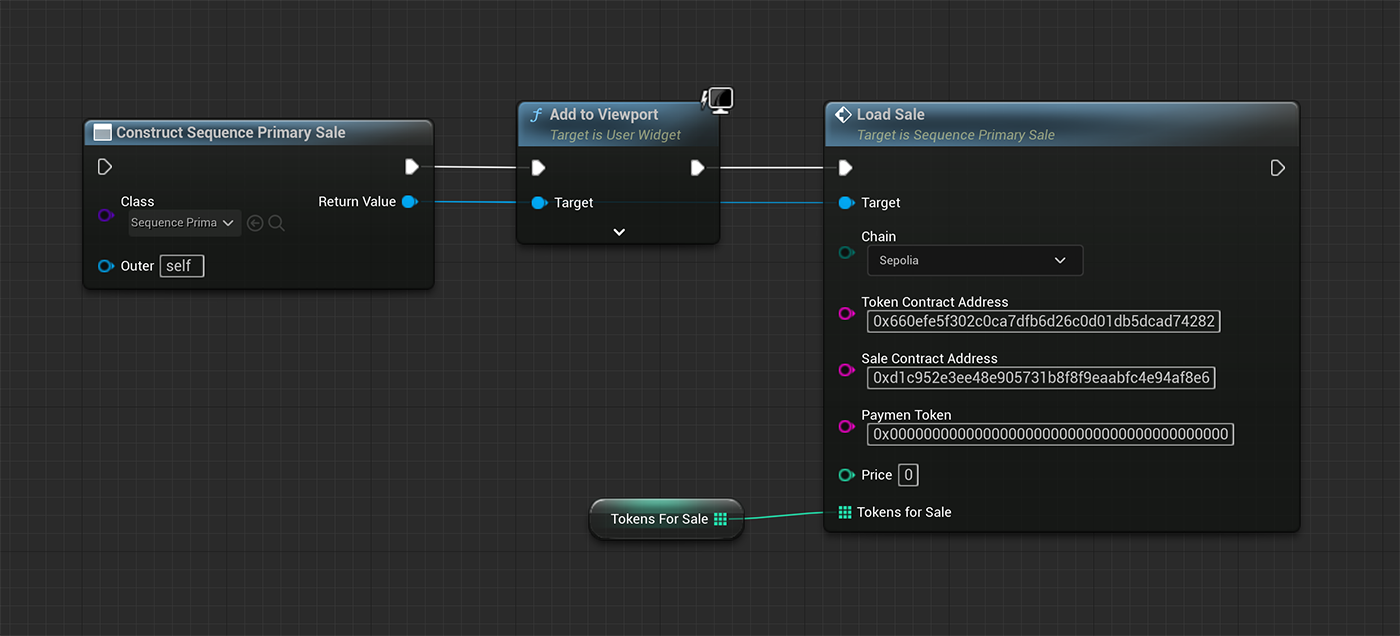
The chain type (Ethereum, Sepolia, ..) on which the specified contract is deployed.
**Token Contract Address (FString)**
The address of the ERC1155 or ERC721 token contract you deployed using Sequence's Builder.
**Sale Contract Address (FString)**
The address of the sale contract you deployed using Sequence's Builder.
**Payment Token (FString)**
The ERC20 token address you specified on the 'Mint Access' section of your Sale contract.
**Price (Integer)**
The price for each token you specified on the 'Mint Access' section of your Sale contract.
**Tokens for Sale (Integer Array)**
A list of token IDs (e.g. \[0, 1, 2]) that you display in your user interface.
## My Wallet View
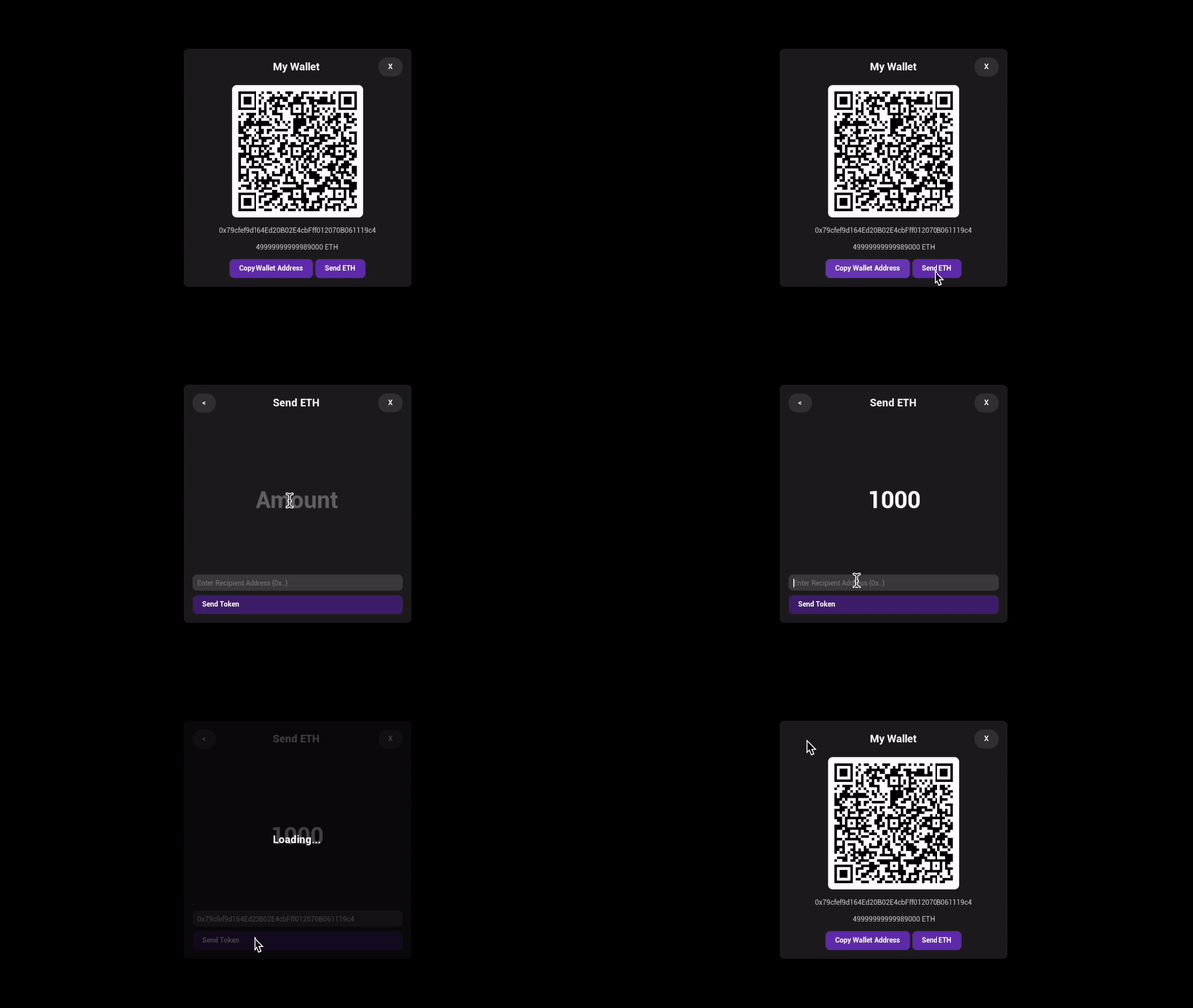
Create the `Sequence Profile` widget to display a QR code to receive funds or send funds to other wallets.
**Chain (ENetwork Enum)**
The chain type (Ethereum, Sepolia, ..) on which the specified contract is deployed.
**Token Contract Address (FString)**
The address of the ERC1155 or ERC721 token contract you deployed using Sequence's Builder.
**Sale Contract Address (FString)**
The address of the sale contract you deployed using Sequence's Builder.
**Payment Token (FString)**
The ERC20 token address you specified on the 'Mint Access' section of your Sale contract.
**Price (Integer)**
The price for each token you specified on the 'Mint Access' section of your Sale contract.
**Tokens for Sale (Integer Array)**
A list of token IDs (e.g. \[0, 1, 2]) that you display in your user interface.
## My Wallet View
Create the `Sequence Profile` widget to display a QR code to receive funds or send funds to other wallets.
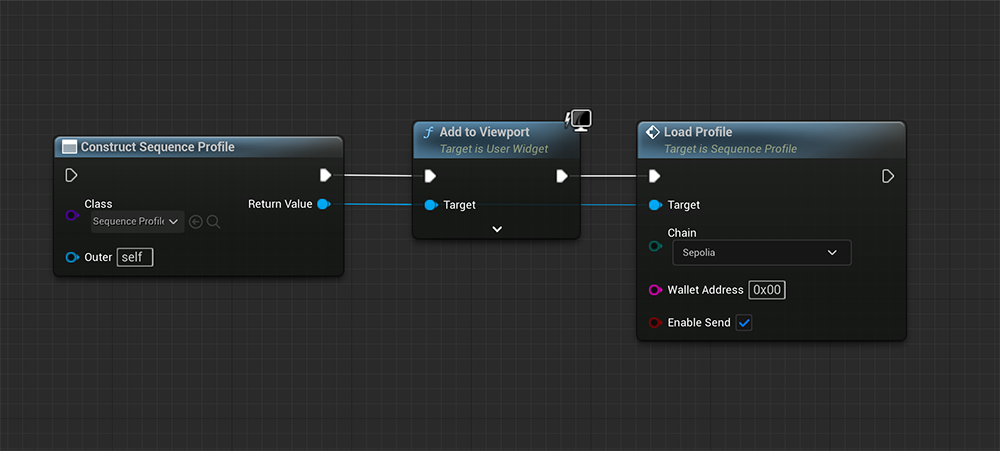 **Chain (ENetwork Enum)**
The chain type (Ethereum, Sepolia, ..) where you want to run your game.
**Wallet Address (FString)**
The wallet address of the user for whom you want to display this view.
**Enable Send (Boolean)**
Indicates whether to enable the button to open a send view. Set this to false if you want to display the profile of another user.
**Chain (ENetwork Enum)**
The chain type (Ethereum, Sepolia, ..) where you want to run your game.
**Wallet Address (FString)**
The wallet address of the user for whom you want to display this view.
**Enable Send (Boolean)**
Indicates whether to enable the button to open a send view. Set this to false if you want to display the profile of another user.