> ## Documentation Index
> Fetch the complete documentation index at: https://docs.sequence.xyz/llms.txt
> Use this file to discover all available pages before exploring further.
# On-ramp Overview
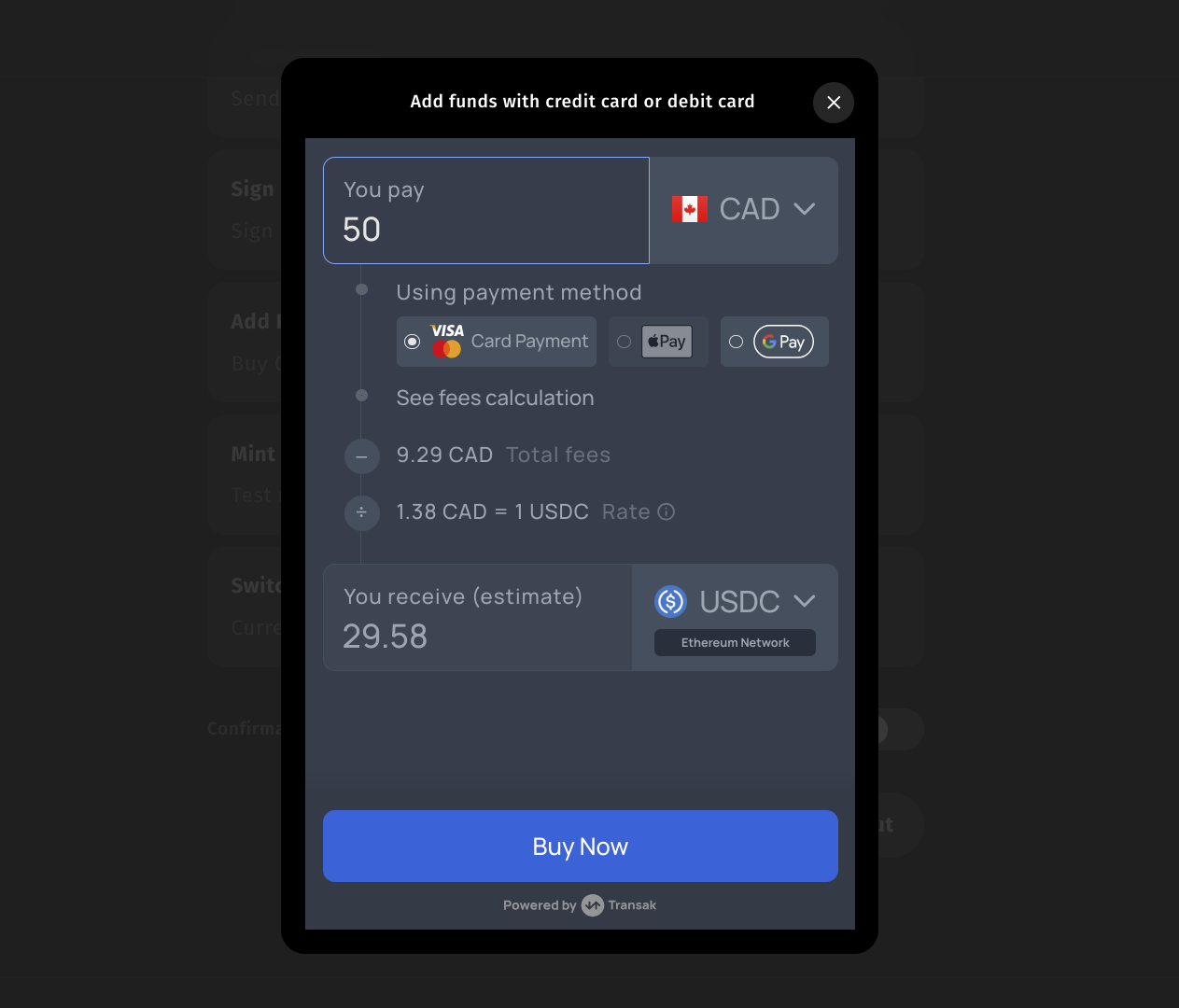
> The checkout on-ramp modal in Web SDK allows developers to easily onboard users with fiat currency into cryptocurrency using a credit card.
With this integration, one can use a credit card to purchase tokens across many different networks.
## Integration
To integrate the on-ramp feature, follow these steps:
Make sure you completed the [Getting Started](/sdk/web/wallet-sdk/embedded/getting-started) guide.
```bash theme={null}
npm install @0xsequence/checkout
# or
pnpm install @0xsequence/checkout
# or
yarn add @0xsequence/checkout
```
```jsx theme={null}
import { SequenceCheckoutProvider } from '@0xsequence/checkout'
import { SequenceConnect } from '@0xsequence/connect'
import { config } from './config'
const App = () => {
return (
)
}
```
Call the `triggerAddFunds` function to cause a modal to appear
```js theme={null}
import { useAddFundsModal } from '@0xsequence/checkout'
import { useAccount } from 'wagmi'
const MyComponent = () => {
const { address: recipientAddress } = useAccount()
const { triggerAddFunds: toggleAddFunds } = useAddFundsModal()
const onClick = () => {
toggleAddFunds({
walletAddress: recipientAddress,
})
}
return (
)
}
```
Congratulations! You’ve just learned how to add funds to your wallet using Web SDK.
# Configuration Overview
The following is the available configuration customization options for toggleAddFunds params
```ts theme={null}
interface AddFundsSettings {
walletAddress: string | Hex // Address of the wallet where funds will be added
fiatAmount?: string // Specify the amount in fiat to add
fiatCurrency?: string // Specify the fiat currency (e.g., USD, EUR)
defaultFiatAmount?: string // Default amount in fiat to add
defaultCryptoCurrency?: string // Default cryptocurrency to use (e.g., ETH, BTC)
cryptoCurrencyList?: string // List of cryptocurrencies available for selection. Example: "USDT,BTC,USDC"
networks?: string // Specify network(s) to use for the transaction. Example: "mainnet,ethereum"
onClose?: () => void // Callback function to execute when the modal is closed
}
```
 ## Integration
To integrate the on-ramp feature, follow these steps:
## Integration
To integrate the on-ramp feature, follow these steps: