> ## Documentation Index
> Fetch the complete documentation index at: https://docs.sequence.xyz/llms.txt
> Use this file to discover all available pages before exploring further.
# Unreal SDK Quickstart
> Add a Sequence-powered smart wallet to your Unreal game.
## 🛠️ Step 1: Install Sequence's Unreal SDK
Download [v3 from the SDK's GitHub Releases](https://github.com/0xsequence/sequence-unreal/releases/tag/v3.0.0)
to access Ecosystem Wallets. You can download one of the `.zip` files, depending on the Unreal Engine version you are using.
To see Ecosystem Wallets in action, [try our Built-In Demo.](/sdk/unreal/wallets/ecosystem-wallet/setup#try-our-built-in-demo)
## 🔑 Step 2: Configure your Unreal Project
Go to [sequence.build](https://sequence.build), sign up or log in, and create a new project. You can follow the [Builder Getting Started](/solutions/builder/getting-started) guide to get a step by step flow.
Follow our [Unreal Setup](/sdk/unreal/wallets/ecosystem-wallet/setup) to configure the Unreal SDK.
## 💼 Step 3: Create a Session with Permissions
To send a transaction to a specific contract, you must first create a session with the required permissions.
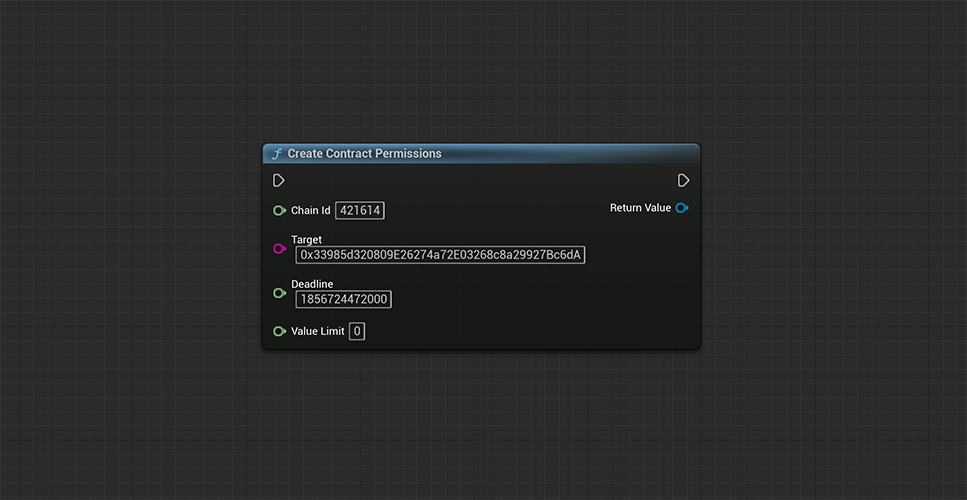 ```cpp theme={null}
const FString Target = TEXT("0x33985d320809E26274a72E03268c8a29927Bc6dA");
const int64 ChainId = 421614;
const int64 Deadline = 1856724472000;
const int64 ValueLimit = 0;
UContractPermissions* Permissions = UContractPermissions::CreateContractPermissions(ChainId, Target, Deadline, ValueLimit);
```
Next, use the permissions object to call an authentication function — for example, Sign In with Google.
If you prefer, you can also leave the permissions empty to create an implicit session.
```cpp theme={null}
const FString Target = TEXT("0x33985d320809E26274a72E03268c8a29927Bc6dA");
const int64 ChainId = 421614;
const int64 Deadline = 1856724472000;
const int64 ValueLimit = 0;
UContractPermissions* Permissions = UContractPermissions::CreateContractPermissions(ChainId, Target, Deadline, ValueLimit);
```
Next, use the permissions object to call an authentication function — for example, Sign In with Google.
If you prefer, you can also leave the permissions empty to create an implicit session.
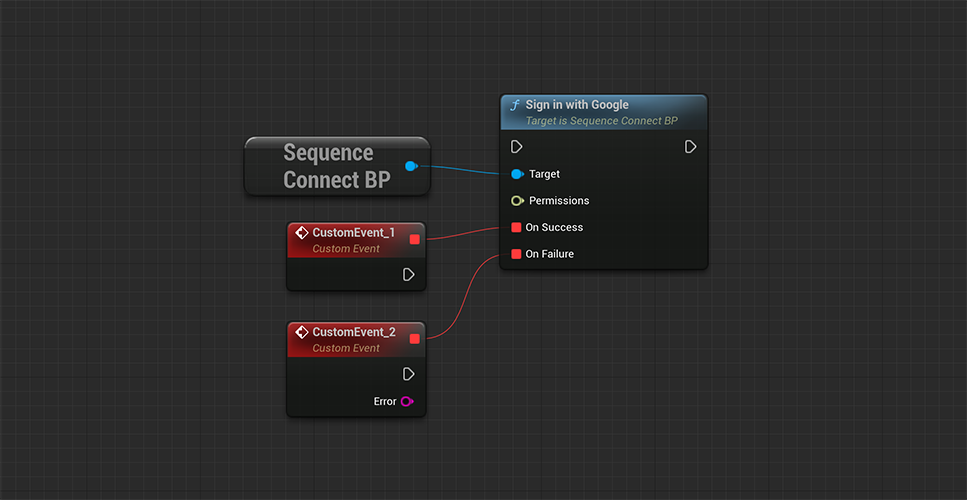 ```cpp theme={null}
const TSuccessCallback SuccessCallback = [this, OnSuccess](bool Result) { };
const FFailureCallback FailureCallback = [OnFailure](const FSequenceError& Error) { };
USequenceConnect* Connect = NewObject();
Connect->SignInWithGoogle(Permissions, SuccessCallback, FailureCallback);
```
## 📨 Step 4: Send Transactions
Finally, let’s use our wallet session to send a transaction to the contract address specified in our permissions.
```cpp theme={null}
const TSuccessCallback SuccessCallback = [this, OnSuccess](bool Result) { };
const FFailureCallback FailureCallback = [OnFailure](const FSequenceError& Error) { };
USequenceConnect* Connect = NewObject();
Connect->SignInWithGoogle(Permissions, SuccessCallback, FailureCallback);
```
## 📨 Step 4: Send Transactions
Finally, let’s use our wallet session to send a transaction to the contract address specified in our permissions.
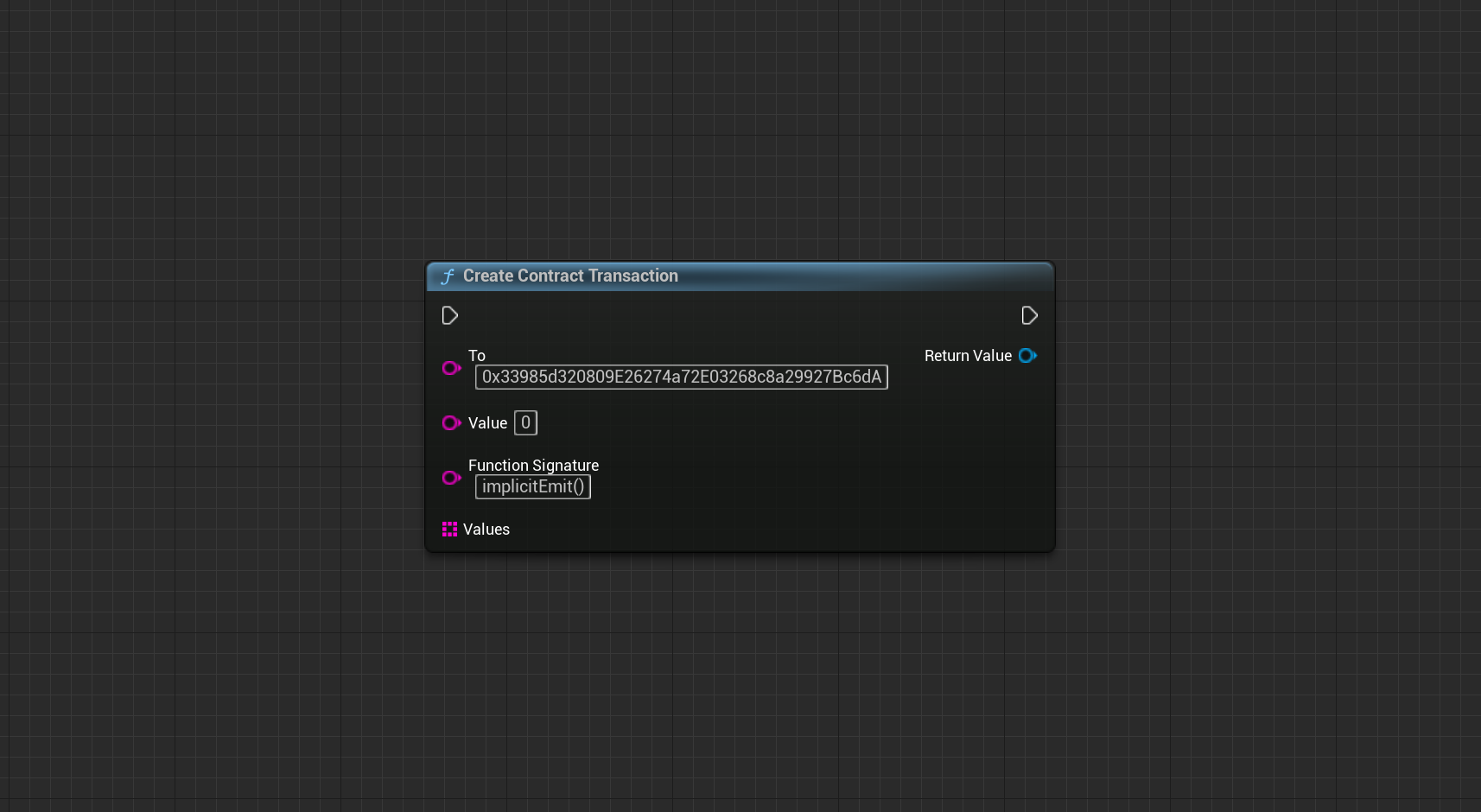 ```cpp theme={null}
const FString To = TEXT("0x33985d320809E26274a72E03268c8a29927Bc6dA");
const FString FunctionSignature = TEXT("explicitEmit()");
const int64 Value = 0;
const TArray Values = { };
UContractTransaction* Transaction = UContractTransaction::CreateContractTransaction(To, Value, FunctionSignature, Values);
```
Next, use the transaction object and pass it to the SendTransaction function.
Optionally, if you're interacting on a mainnet without gas sponsorship, you can [fetch fee options](/sdk/unreal/wallets/ecosystem-wallet/blockchain-interactions#get-fee-options) first.
```cpp theme={null}
const FString To = TEXT("0x33985d320809E26274a72E03268c8a29927Bc6dA");
const FString FunctionSignature = TEXT("explicitEmit()");
const int64 Value = 0;
const TArray Values = { };
UContractTransaction* Transaction = UContractTransaction::CreateContractTransaction(To, Value, FunctionSignature, Values);
```
Next, use the transaction object and pass it to the SendTransaction function.
Optionally, if you're interacting on a mainnet without gas sponsorship, you can [fetch fee options](/sdk/unreal/wallets/ecosystem-wallet/blockchain-interactions#get-fee-options) first.
 ```cpp theme={null}
const TSuccessCallback SuccessCallback = [OnSuccess](const FString& Result) { };
const FFailureCallback FailureCallback = [OnFailure](const FSequenceError& Error) { };
USequenceWallet* Wallet = NewObject();
Wallet->SendTransaction(Transaction, SuccessCallback, FailureCallback);
```
```cpp theme={null}
const TSuccessCallback SuccessCallback = [OnSuccess](const FString& Result) { };
const FFailureCallback FailureCallback = [OnFailure](const FSequenceError& Error) { };
USequenceWallet* Wallet = NewObject();
Wallet->SendTransaction(Transaction, SuccessCallback, FailureCallback);
```