Documentation Index
Fetch the complete documentation index at: https://docs.sequence.xyz/llms.txt
Use this file to discover all available pages before exploring further.
Import
import { CollectibleCard } from "@0xsequence/marketplace-sdk/react";
Usage
Data Hooks
The SDK provides specialized hooks to fetch and format data for the CollectibleCard component:
Market Cards
import { useListMarketCardData } from "@0xsequence/marketplace-sdk/react";
const {
collectibleCards,
isLoading,
hasNextPage,
isFetchingNextPage,
fetchNextPage,
} = useListMarketCardData({
orderbookKind,
collectionType,
filterOptions,
searchText,
showListedOnly,
collectionAddress,
chainId,
});
Shop Cards
For shop cards, there are two hooks based on the contract type:
// For ERC721 tokens
import { useList721ShopCardData } from "@0xsequence/marketplace-sdk/react";
const { collectibleCards, isLoading } = useList721ShopCardData({
primarySaleItemsWithMetadata,
chainId,
contractAddress,
salesContractAddress,
enabled: contractType === ContractType.ERC721,
});
// For ERC1155 tokens
import { useList1155ShopCardData } from "@0xsequence/marketplace-sdk/react";
const { collectibleCards, isLoading } = useList1155ShopCardData({
chainId,
contractAddress,
salesContractAddress,
enabled: contractType === ContractType.ERC1155,
primarySaleItemsWithMetadata,
});
These hooks handle:
- Data fetching and formatting
- Loading states
- Pagination (for market cards)
- Type-specific data requirements
- Integration with filters and search
Examples
Market Card
Shop Card
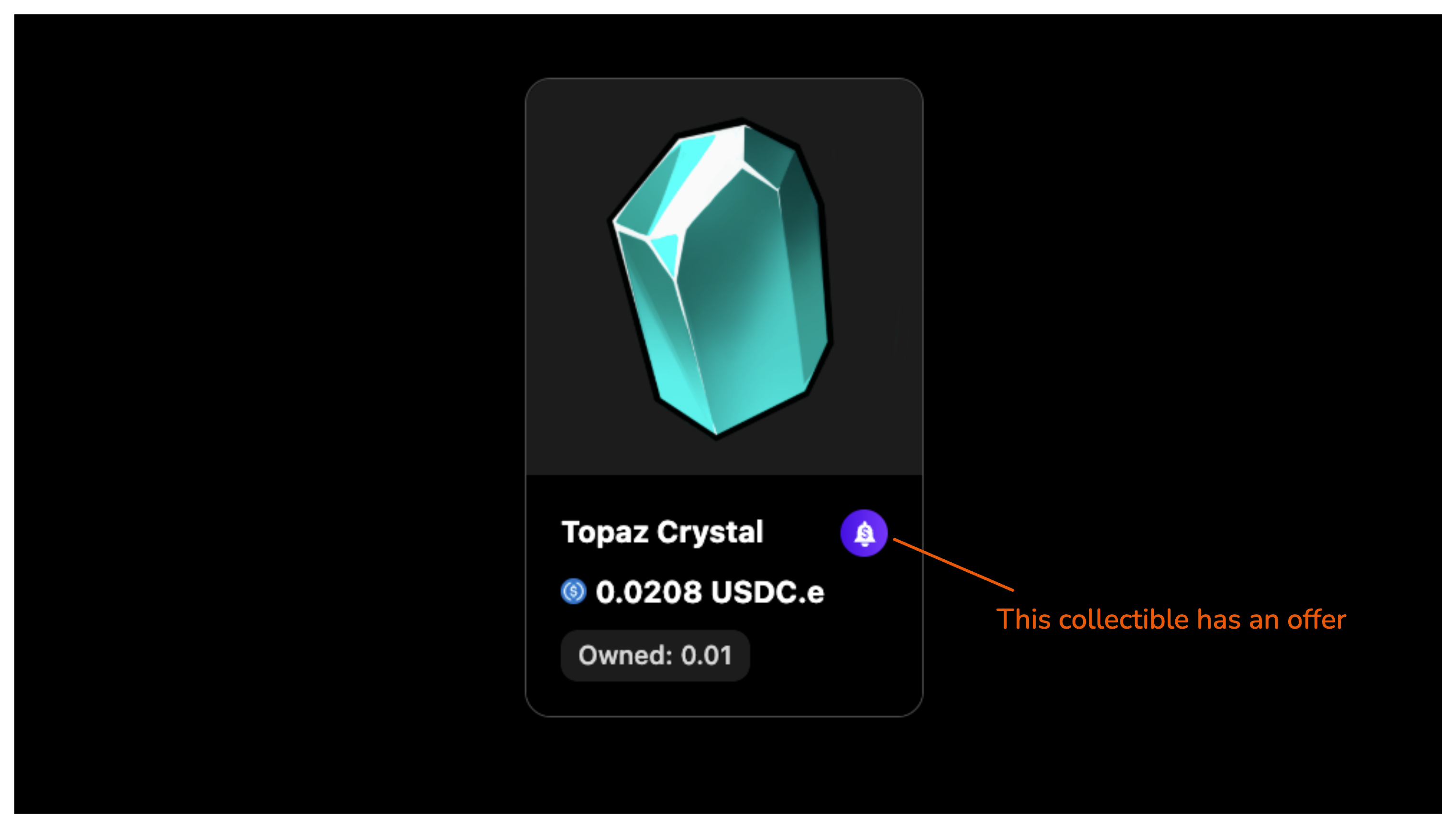
With Offers
Example of using the CollectibleCard component in a marketplace context:import { CollectibleCard } from "@0xsequence/marketplace-sdk/react";
export default function MarketExample() {
return (
<CollectibleCard
collectibleId="1"
chainId={1}
collectionAddress="0x..."
marketplaceType="market"
collectible={{
// collectible data
tokenId: "1",
metadata: {
name: "My NFT",
image: "https://example.com/nft.png"
}
}}
onCollectibleClick={(tokenId) => {
console.log(`Clicked collectible ${tokenId}`);
}}
/>
);
}
Example showing the CollectibleCard in a shop context:import { CollectibleCard } from "@0xsequence/marketplace-sdk/react";
export default function ShopExample() {
return (
<CollectibleCard
collectibleId="1"
chainId={1}
collectionAddress="0x..."
marketplaceType="shop"
salesContractAddress="0x..."
tokenMetadata={{
name: "Shop Item",
image: "https://example.com/item.png"
}}
salePrice={{
amount: "1000000000000000000", // 1 ETH in wei
currencyAddress: "0x..." // ETH address
}}
quantityInitial="100"
quantityRemaining="50"
/>
);
}
Example demonstrating offer functionality:import { CollectibleCard } from "@0xsequence/marketplace-sdk/react";
export default function OffersExample() {
return (
<CollectibleCard
collectibleId="1"
chainId={1}
collectionAddress="0x..."
marketplaceType="market"
collectible={{
tokenId: "1",
metadata: {
name: "NFT with Offers",
image: "https://example.com/nft.png"
}
}}
onOfferClick={({ order, e }) => {
console.log('Offer clicked', order);
e.preventDefault();
}}
onCannotPerformAction={(action) => {
console.log(`Cannot perform action: ${action}`);
}}
/>
);
}
Parameters
The component accepts different props based on the marketplace type:
Base Props
These properties are shared by all card types:
interface MarketplaceCardBaseProps {
collectibleId: string;
chainId: number;
collectionAddress: Address;
collectionType?: ContractType;
assetSrcPrefixUrl?: string;
cardLoading?: boolean;
marketplaceType?: MarketplaceType;
isTradable?: boolean;
}
| Parameter | Type | Description |
|---|
collectibleId | string | Unique identifier for the collectible |
chainId | number | The blockchain network ID |
collectionAddress | Address | The smart contract address of the collection |
collectionType | ContractType | Optional. The type of contract (ERC721 or ERC1155) |
assetSrcPrefixUrl | string | Optional URL prefix for asset sources |
cardLoading | boolean | Optional flag to show loading state |
marketplaceType | MarketplaceType | Optional. Type of marketplace (‘market’ or ‘shop’) |
isTradable | boolean | Optional flag indicating if the item can be traded |
Shop Card Props
Additional properties for shop cards (marketplaceType="shop"):
interface ShopCardSpecificProps {
salesContractAddress: Address;
tokenMetadata: TokenMetadata;
salePrice?: {
amount: string;
currencyAddress: Address;
};
saleStartsAt?: string;
saleEndsAt?: string;
quantityDecimals?: number;
quantityInitial?: string;
quantityRemaining?: string;
unlimitedSupply?: boolean;
}
| Parameter | Type | Description |
|---|
salesContractAddress | Address | The address of the sales contract |
tokenMetadata | TokenMetadata | Metadata for the token including name, description, image |
salePrice | object | Optional. Price information including amount and currency |
saleStartsAt | string | Optional. Sale start timestamp |
saleEndsAt | string | Optional. Sale end timestamp |
quantityDecimals | number | Optional. Number of decimals for quantity |
quantityInitial | string | Optional. Initial supply amount |
quantityRemaining | string | Optional. Remaining supply amount |
unlimitedSupply | boolean | Optional. Whether the supply is unlimited |
Market Card Props
Additional properties for market cards (marketplaceType="market"):
interface MarketCardSpecificProps {
orderbookKind?: OrderbookKind;
collectible?: CollectibleOrder;
onCollectibleClick?: (tokenId: string) => void;
onOfferClick?: (params: {
order?: Order;
e: React.MouseEvent<HTMLButtonElement>;
}) => void;
balance?: string;
balanceIsLoading: boolean;
onCannotPerformAction?: (action: CollectibleCardAction) => void;
prioritizeOwnerActions?: boolean;
}
| Parameter | Type | Description |
|---|
orderbookKind | OrderbookKind | Optional. Type of orderbook |
collectible | CollectibleOrder | Optional. Collectible order information |
onCollectibleClick | function | Optional. Handler for collectible click events |
onOfferClick | function | Optional. Handler for offer click events |
balance | string | Optional. User’s balance of this collectible |
balanceIsLoading | boolean | Whether the balance is currently loading |
onCannotPerformAction | function | Optional. Handler for unauthorized actions |
prioritizeOwnerActions | boolean | Optional. Whether to prioritize owner actions in UI |
Features
Card Variants
The component supports two main variants:
-
Market Card: Used for displaying collectibles in a marketplace context with:
- Current listing price
- Highest offer indicator
- Balance/ownership information
- Buy/Offer actions
-
Shop Card: Used for primary sales with:
- Sale price
- Supply information
- Sale status
- Purchase actions
Automatic Type Detection
The component automatically handles different token standards:
- ERC-721 (Non-fungible tokens)
- ERC-1155 (Semi-fungible tokens)
Loading States
Built-in loading states are provided:
<CollectibleCard
cardLoading={true}
// ... other props
/>
The component includes sophisticated price formatting with:
- Currency symbol display
- Overflow/underflow indicators
- Support for various token decimals
- “Free” indicator for zero prices
Integration Examples
Market Content Integration
Here’s a complete example of integrating the CollectibleCard in a marketplace context:
import {
CollectibleCard,
useListMarketCardData,
} from "@0xsequence/marketplace-sdk/react";
export function MarketContent({
collectionAddress,
chainId,
onCollectibleClick,
}) {
const {
collectibleCards,
isLoading,
hasNextPage,
isFetchingNextPage,
fetchNextPage,
} = useListMarketCardData({
orderbookKind,
collectionType,
filterOptions,
searchText,
showListedOnly,
collectionAddress,
chainId,
});
return (
<div>
{collectibleCards.map((card, index) => (
<button
key={index}
onClick={() => onCollectibleClick(card.collectibleId)}
className="w-full cursor-pointer"
>
<CollectibleCard {...card} />
</button>
))}
</div>
);
}
Shop Content Integration
Example of integrating the CollectibleCard in a shop context with contract type handling:
import {
CollectibleCard,
useList721ShopCardData,
useList1155ShopCardData,
} from "@0xsequence/marketplace-sdk/react";
export function ShopContent({
saleContractAddress,
collectionAddress,
chainId,
onCollectibleClick,
}) {
// Choose hook based on contract type
const { collectibleCards, isLoading } =
contractType === ContractType.ERC721
? useList721ShopCardData({
primarySaleItemsWithMetadata,
chainId,
contractAddress: collectionAddress,
salesContractAddress: saleContractAddress,
enabled: true,
})
: useList1155ShopCardData({
chainId,
contractAddress: collectionAddress,
salesContractAddress: saleContractAddress,
enabled: true,
primarySaleItemsWithMetadata,
});
return (
<div>
{collectibleCards.map((card, index) => (
<button
key={index}
onClick={() => onCollectibleClick(card.collectibleId)}
className="w-full cursor-pointer"
>
<CollectibleCard {...card} />
</button>
))}
</div>
);
}
Notes
The MarketplaceCollectibleCard component is designed to handle various marketplace scenarios with:
- Responsive layout
- Loading states
- Price formatting
- Supply tracking
- Action handling
- Owner-specific features
- Offer management
When using with ERC-1155 tokens, note that:
- Balance is displayed as “Owned: X” format
- Supply information is shown for shop items
- Quantity tracking is supported
Best Practices
-
Data Fetching
- Use the appropriate data hook based on your context (market/shop) and contract type (ERC721/ERC1155)
- Enable conditional fetching using the
enabled prop when necessary
- Handle loading states appropriately
-
Event Handling
- Implement click handlers for both the card and specific actions (buy, offer)
- Use the
onCannotPerformAction callback to handle unauthorized actions
-
Display
- Wrap cards in buttons for clickable behavior
- Use appropriate className for layout and spacing
- Consider implementing infinite scroll or pagination for large collections